
Planning a road trip or just trying to figure out when you’ll reach home? I use a distance calculator every time I travel, and honestly, it saves me from guessing and helps me plan my fuel costs and arrival time perfectly.
It also gives me a clear picture of the best routes to take, helping me avoid unnecessary detours and traffic. With accurate mileage and driving time estimates, every journey feels more organized and stress-free.
A mileage and driving time calculator is a simple tool that tells you how far two places are from each other and how long it takes to drive between them. You just type in your starting point and where you want to go.
The tool shows you the distance in miles or kilometers and gives you the estimated travel time. It’s like having a smart friend who knows every road and can tell you exactly what to expect before you start your journey.
I remember planning my first long drive without this tool. I had no idea it would take me 6 hours instead of 4. That was a rough day.
How to Use the Mileage and Driving Time Calculator
Using this distance calculator is super easy. I’ll walk you through every step so you can get your driving route in seconds.
The tool does all the hard work for you. You don’t need to be tech-savvy or know anything about GPS coordinates. Just type where you’re starting and where you want to go, and it figures out everything else.
I used to waste so much time looking at maps and guessing travel times. Now I just use this calculator before every trip, and it’s never let me down.
Step-by-Step Instructions
Here’s how to use the calculator:
- Add your starting location: Type your city, address, or ZIP code in the “From” box (like “New York” or “Paris”)
- Add your destination: Enter where you want to go in the “To” box
- Click the button: Press “Get Mileage & Driving Time” to start calculating
- Wait a few seconds: You’ll see “Calculating route” with a spinning circle
- Check your results: The calculator shows total mileage (in miles), total distance (in kilometers), and driving time.
The tool checks real roads between your locations. It uses OpenStreetMap data to find the best driving route for you. This takes just a few seconds.
If you enter two places that are really close together (like less than 1 kilometer apart), the calculator will tell you they’re basically the same spot. That’s a nice touch.
Understanding Your Results
When your results show up, you’ll see the distance listed two ways. The first number is in miles (like 215 mi), and the second is in kilometers (like 346 km). Use whichever one you prefer.
The driving time appears in a format that’s easy to read. If it’s a short trip, you might see “2 hours 15 minutes.” For longer journeys, it could say “1 day 3 hours 30 minutes.”
At the top of the results, there’s a green box showing the route information. This tells you exactly which cities you’re traveling between based on the OpenRouteService routing engine.
The calculator picks what it thinks is the best route. It looks at highways, main roads, and other factors to give you a realistic travel time estimate. Well, from what I’ve seen, it’s pretty accurate most of the time.
Distance Calculation Methods Explained
Understanding how distance calculations work helps you trust the numbers you see. These calculators use two main ways to measure how far apart places are.
Most people don’t realize there’s a big difference between these two methods. Knowing which one you’re looking at can save you from planning mistakes.
Straight Line Distance vs Driving Distance
Air distance (also called “as the crow flies”) is the shortest possible distance between two points. Imagine drawing a straight line on a map from your house to your friend’s house. That’s air distance.
The calculator uses something called the Great Circle Distance method. This is a fancy way of saying it measures the shortest path on a round Earth. The haversine formula does all the math for this.
But here’s the thing, you can’t drive in a straight line. You have to follow roads, go around buildings, and deal with rivers and mountains.
That’s why driving distance is always longer than air distance. If the straight-line distance is 50 miles, the actual driving distance might be 65 or 70 miles because you’re following the curves and turns of real roads.
I tested this once between two cities. The air distance was 120 miles, but my actual drive was 156 miles. That’s almost 30% more just because of how the highways wind around.
How GPS and Mapping Technology Calculate Routes
Your calculator uses smart computer programs called algorithms to find the best route. According to a 2025 study published in the International Journal of Intelligent Transportation Systems Research(IJITSR), the most common routing algorithms are Dijkstra and A-Star (A). These algorithms check thousands of possible paths in seconds to find the fastest way to your destination.
Dijkstra’s algorithm was created by computer scientist Edsger W. Dijkstra in 1956, as documented in Wikipedia’s technical overview. It finds the shortest path by exploring all possible routes until it reaches your destination.
A-Star is faster because it uses smart guessing. The same 2025 research found that A-Star completes routing in just 0.07 seconds compared to Dijkstra’s 0.22 seconds for the same map.
The calculator pulls road data from OpenStreetMap, a free mapping project with millions of contributors worldwide. OpenStreetMap provides detailed information about every road, highway, speed limit, and street in the world. According to OpenRouteService, this user-generated geographic data is constantly updated by the community.
Some advanced calculators can estimate traffic flow based on road details. However, as explained by Geoapify’s OpenStreetMap routing analysis (2025), most basic calculators don’t include real-time traffic data because OpenStreetMap focuses on static road features rather than live traffic conditions.
The goal is route optimization, finding the fastest way to your destination, not just the shortest. Sometimes a slightly longer route on a highway is faster than a short route through city streets with lots of traffic lights.
Common Uses for Mileage and Driving Time Calculators
People use distance calculators for all kinds of reasons. Some need them for fun trips, while others use them for work every single day.
I’ve found at least a dozen ways this tool helps me in real life. You’ll probably recognize some of these situations from your own experience.
Personal Travel Planning
Planning a family vacation gets so much easier when you know exactly how far you’re going. You can figure out if you need to book a hotel halfway or if you can drive straight through.
Road trip planning is my favorite use. I map out how many hours I’ll drive each day and where I’ll stop for the night. This way, I’m not stuck scrambling to find a place to sleep at 10 PM.
If you’re using this calculator for trip or project planning, you might also find our Asphalt Calculator useful for estimating road materials and paving areas.
Tips for Accurate Distance and Time Calculations
Getting the right numbers from your distance calculator depends on how you use it. Small changes in what you enter can give you totally different results.
I learned this after arriving an hour late to a wedding because my calculation was off. Now I follow some simple rules to make sure my travel time estimates are spot-on.
Factors That Affect Driving Time
Traffic conditions make the biggest difference in your arrival time. Driving at 8 AM on a Monday takes way longer than driving at 2 PM on a Sunday.
Rush hour can add 30-50% more time to your trip, especially through big cities. I once drove through Atlanta at 5 PM, and what should’ve been 30 minutes took me an hour and fifteen.
Here’s what changes your actual driving time:
- Peak hours vs off-peak: Morning and evening rush hours slow everything down
- Weather conditions: Rain, snow, or fog force you to drive more slowly for safety
- Road construction: Detours and lane closures add unexpected time
- Speed limits: Highway speeds are faster than city streets with traffic lights
- Urban vs rural: City driving means stops at lights, while rural roads usually flow better.
Seasonal variations matter too. Summer vacation traffic or holiday travel can double your normal drive time on popular routes.
How to Improve Calculation Accuracy
Want better results? Use specific addresses instead of just city names. “123 Main Street, Austin, Texas” works better than just “Austin.”
Update the average speed setting if your calculator has one. Don’t assume 60 mph if you’re driving mostly on city streets where the limit is 35 mph.
Always include realistic break times in your calculations. If you’re driving more than 3 hours, you’ll need at least one stop. Add 15-30 minutes for that.
For long trips crossing time zones, remember to adjust your arrival time accordingly. Driving from California to Texas means gaining 2 hours on the clock.
Mileage Calculator for Different Measurement Units
Not everyone measures distance the same way. Americans use miles, while most other countries use kilometers. Good calculators handle both automatically.
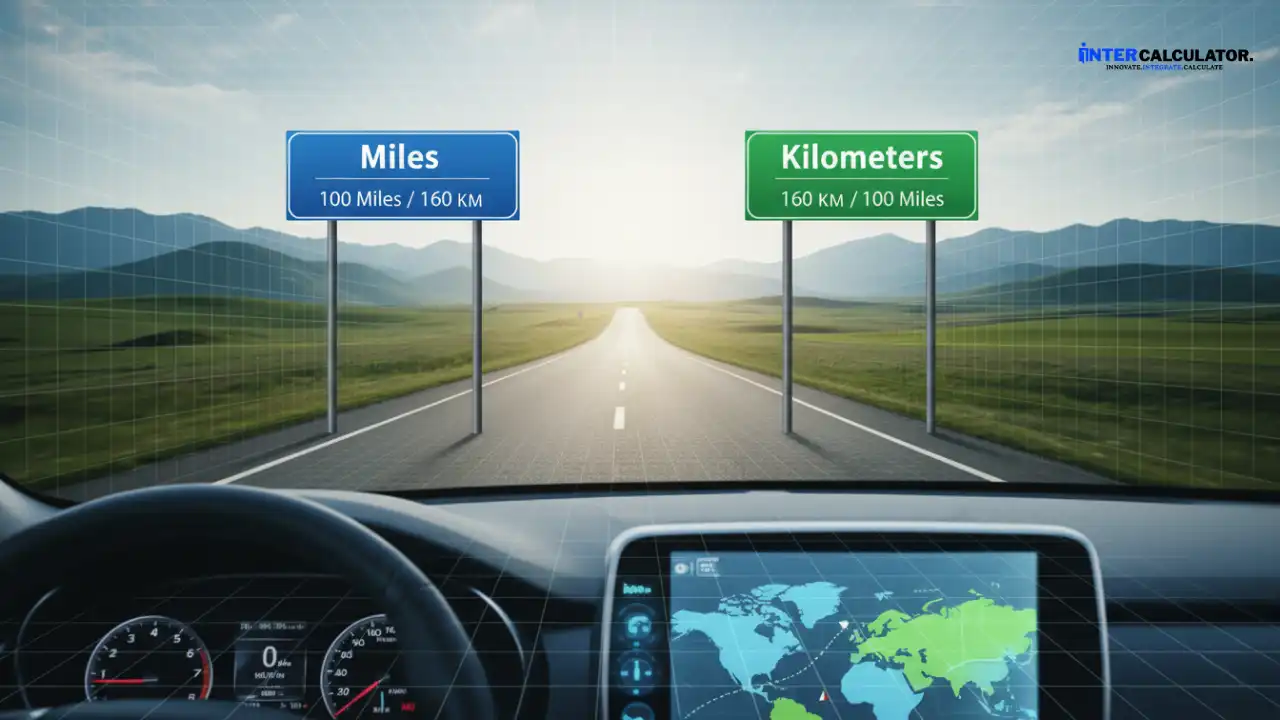
I travel between the US and Canada a lot, and switching between measurement units used to confuse me. Now I just let the calculator do the conversion.
Miles vs Kilometers Conversion
The imperial system (miles) is used in the United States, while the metric system (kilometers) is standard in most other countries. One mile equals about 1.6 kilometers.
Most distance calculators have automatic unit conversion built in. You can see your results in both miles and kilometers at the same time, which is super helpful.
For international travel, knowing both measurements helps you understand road signs and distance markers in different countries.
| Miles | Kilometers | Common Use |
| 1 mi | 1.6 km | Short distances |
| 10 mi | 16 km | City driving |
| 50 mi | 80 km | Regional trips |
| 100 mi | 161 km | Long drives |
| 500 mi | 805 km | Cross-country |
Final Thoughts
A mileage and driving time calculator makes trip planning simple and stress-free. Whether you’re heading out on a family vacation, meeting clients, or just figuring out your fuel costs, this tool gives you accurate numbers in seconds.
Along with planning your routes, you can also manage your vehicle finances more efficiently. You can try our Car Loan Payoff Calculator to track your loan balance, calculate interest savings, and plan your repayment timeline with ease.
Frequently Asked Questions
How accurate are mileage calculators?
Can I calculate mileage between any two locations worldwide?
Does the calculator account for traffic conditions?
How do I calculate the average speed for my trip?
What is the best route for long-distance driving?
This calculator was created by the InterCalculator Editorial Team, led by Haris Farooq (Formula & Development). Our team specializes in formula research, calculator logic, and technical development, ensuring each tool is accurate, fast, and easy to use.
View Team →Before publishing, every calculator goes through the InterCalculator Accuracy Review Process. For the Mileage and Driving Time Calculator, we verify formulas against trusted sources, ensuring distance, speed, and travel time calculations are precise. Each tool is tested with multiple routes, vehicle types, and driving scenarios, and all calculations are reviewed with an experienced transportation analyst to confirm accuracy, clarity, and reliability.
View Process →